Skip to navigation
Skip to main content
Skip to navigation
Skip to main content 
Blog
How to Track a Cigarette Order Online in Canada
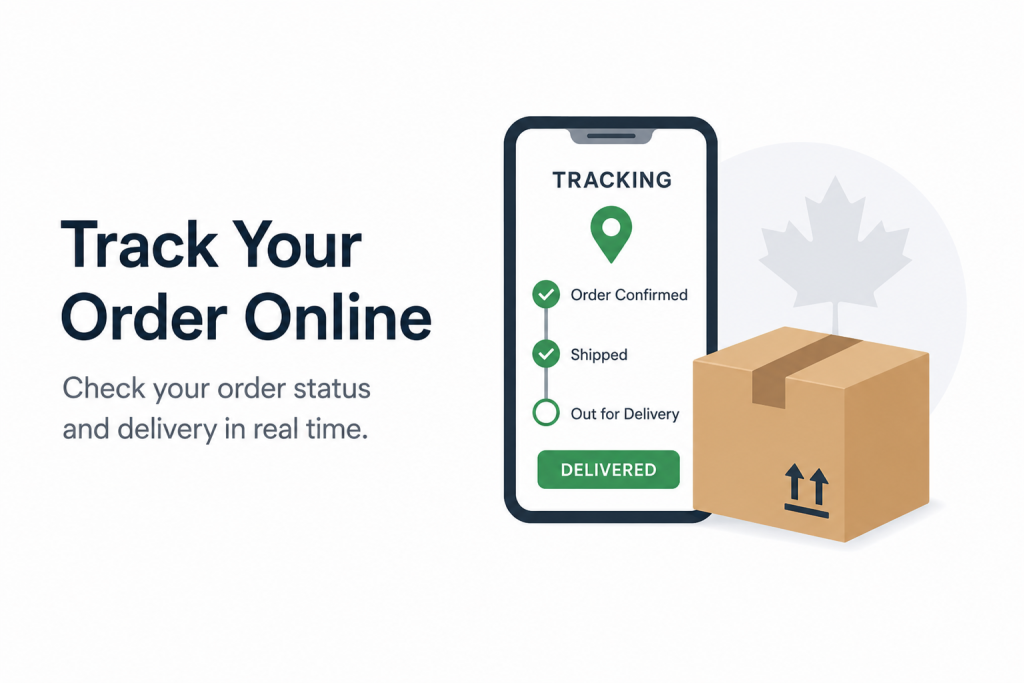
To track a cigarette order online in Canada, check your order confirmation email, log in to your customer account, and look for any shipping or tracking notification. If you ordered from 1Smokes, you can start by visiting the My Account page to review your recent orders and current order status.
If a tracking number is available, copy it exactly and enter it on the courier’s tracking page. Keep in mind that tracking numbers may not update right away. In many cases, the shipping label has been created, but the courier has not scanned the package yet.
This guide explains how cigarette order tracking Canada usually works, what common order statuses mean, and when to contact 1Smokes support.
Cigarette Order Tracking Canada: How the Process Works
When you place an online cigarette order, it usually goes through a few steps before it reaches your address.
The basic process is:
- Order placed online
- Order confirmation email sent
- Payment reviewed or confirmed
- Order prepared for shipping
- Shipping label created
- Package handed to the courier
- Tracking number receives its first scan
- Package moves through the courier network
- Package goes out for delivery
- Order is delivered
Your store order status and courier tracking status are not always the same. Your 1Smokes account shows what is happening with the order from the store side. The courier tracking page, such as the Canada Post tracking page, shows what happens after the package is scanned into the delivery network.
For example, your order may show as shipped, but the courier page may still say “label created” or may show no update yet. This usually means the package is waiting for its first carrier scan.
How to Track Your 1Smokes Order
1. Check Your Confirmation Email
After placing your order, check the email address you used at checkout. Look for your order confirmation email from 1Smokes.
This email usually includes your order number and order details. Review the product list, total amount, email address, and shipping address. If you notice a mistake, contact support as soon as possible.
If you cannot find the email, check your spam, junk, or promotions folder.
2. Log In to Your Account
Go to the My Account page and log in using the email address connected to your order.
From your account, you can check your recent orders and see the current order status. This is usually the easiest way to confirm whether your order is still processing, has been completed, or has moved to shipping.
3. Look for a Tracking Number
Once the order is prepared for delivery, you may receive a shipping notification with a tracking number.
Copy the tracking number carefully and paste it into the courier’s tracking page. Avoid adding extra spaces before or after the number.
If the tracking number does not work right away, check again later. It may simply be too new.
4. Contact Support If Something Looks Wrong
If your order status has not changed, your payment is not confirmed, or your tracking has not updated for several business days, contact 1Smokes through the Contact Us page.
Include your order number, full name, email used at checkout, and a short explanation of the issue.
Common Order Statuses and What They Mean
Order Received
This means your order was successfully placed on the website. It does not always mean it has been packed or shipped yet.
Processing
Processing means your order is being reviewed, prepared, packed, or waiting for payment confirmation. This is a normal order stage.
Awaiting Payment
This means payment may still need to be received or confirmed before the order can move forward.
Completed
Completed usually means the order has been fulfilled from the store side. It does not always mean the package has already arrived. Check the courier tracking page for delivery updates.
Shipped
Shipped means the order has been prepared for delivery. However, courier tracking may still need time to update.
Label Created
This means the shipping label has been made, but the courier may not have scanned the package yet.
In Transit
In transit means the package is moving through the courier network.
Out for Delivery
Out for delivery means the package is with the local delivery driver or final delivery route.
Delivered
Delivered means the courier marked the package as delivered. Check your mailbox, front door, parcel locker, lobby, or building office if you do not see it right away.
Why Your Tracking Number May Not Update
A tracking number may not show movement immediately. This is common and does not always mean there is a problem.
Tracking may be delayed because:
- The shipping label was just created
- The courier has not scanned the package yet
- The package was packed after business hours
- The order was shipped near a weekend or holiday
- The courier is experiencing high delivery volume
- The package is moving between facilities without frequent scans
Sometimes the tracking page can stay quiet for a while, then update once the package reaches another sorting facility or local depot.
What to Check Before Contacting Support
Before contacting 1Smokes about your online smoke order status, prepare these details:
- Order number
- Email address used at checkout
- Full shipping name
- Shipping address
- Payment status
- Tracking number, if available
- Date the order was placed
- Last tracking update
Having this information ready helps support check your order faster.
You can also visit the FAQs page for common questions about ordering, payment, shipping, and account access.
When Should You Contact 1Smokes?
You should contact 1Smokes if:
- You did not receive an order confirmation email
- Your payment was sent but the order still appears unpaid
- Your order has not changed status after a reasonable processing period
- Your tracking number does not work after enough time has passed
- Your package appears stuck in transit for several business days
- Tracking says delivered, but you cannot find the package
- You entered the wrong shipping address
For the fastest help, use the Contact Us page and include your order number.
What If Tracking Says Delivered but You Do Not Have the Package?
If tracking says delivered but you do not see the package, check common delivery areas first.
Look near your:
- Mailbox
- Front door
- Side entrance
- Parcel locker
- Apartment lobby
- Building office
- Concierge or reception desk
If you live with others, ask if someone accepted the package. In some cases, a courier may mark a package as delivered shortly before final handoff.
If the package still does not appear, contact support with your order number and tracking details.
Tips for a Smoother Order Tracking Experience
To avoid tracking problems, always double-check your details before placing an order.
Make sure your email address, shipping address, apartment number, postal code, and contact details are correct. Save your order number after checkout, and use your customer account when possible.
1Smokes serves legal-age adult customers in Canada who want online convenience, competitive pricing, bulk discount options, native cigarette products, nicotine pouches, and vapes. A clear tracking process helps customers understand where their order is and when to ask for support.
Final Thoughts
Cigarette order tracking Canada is easier when you know where to check and what each status means. Start with your order confirmation email, review your My Account page, and check the courier tracking number once it becomes available.
Most tracking delays are caused by normal gaps between order processing, label creation, courier pickup, and the first scan. If something looks wrong or your order has not updated for several business days, contact 1Smokes through the Contact Us page.
For common ordering and shipping questions, you can also visit the FAQs page.
Frequently Asked Questions
How do I track my cigarette order online in Canada?
Check your order confirmation email, log in to your account, and look for a shipping notification with a tracking number. If you ordered from 1Smokes, start with the My Account page.
Why is my tracking number not working yet?
Your tracking number may be too new. If the label was recently created, the courier may not have scanned the parcel yet.
What does processing mean?
Processing usually means your order is being reviewed, prepared, packed, or waiting for payment confirmation.
What does shipped mean?
Shipped means the order has been prepared for delivery. The courier tracking page may still need time to update.
Where can I contact 1Smokes about my order?
Use the Contact Us page. Include your order number, email used at checkout, and a short explanation of your concern.
Where can I find common shipping answers?
Visit the FAQs page for common questions about ordering, shipping, payment, and account access.
Related Articles
Nicotine Pouch Strengths Explained: 6mg to 15mg on One Shelf
What the mg number on a nicotine pouch lid actually measures, how 6mg, 9mg, 12mg and 15mg cans compare, and how to swap strengths when your usual can is out of stock.

Can You Buy Menthol Cigarettes in Canada? Why the Answer Gets Confusing
If you’re asking can you buy menthol cigarettes in Canada, a one-word answer won’t do the job. Federal law restricts

Canadian Classic Silver Pack vs Carton Canada: Buyer Decision Guide
If you’re comparing Canadian Classic Silver pack vs carton Canada options, the practical choice comes down to how much you